Let your bots place the trades.
Bridge is a Windows program that runs on your computer. It sends your bots' alerts to your TradeStation account, so the trades are placed for you. You still choose the stock, the settings and when each bot is on.
After you pay, log in and come back to this page. This same button then gives you the Bridge zip file.
From signal to order, on your own computer.
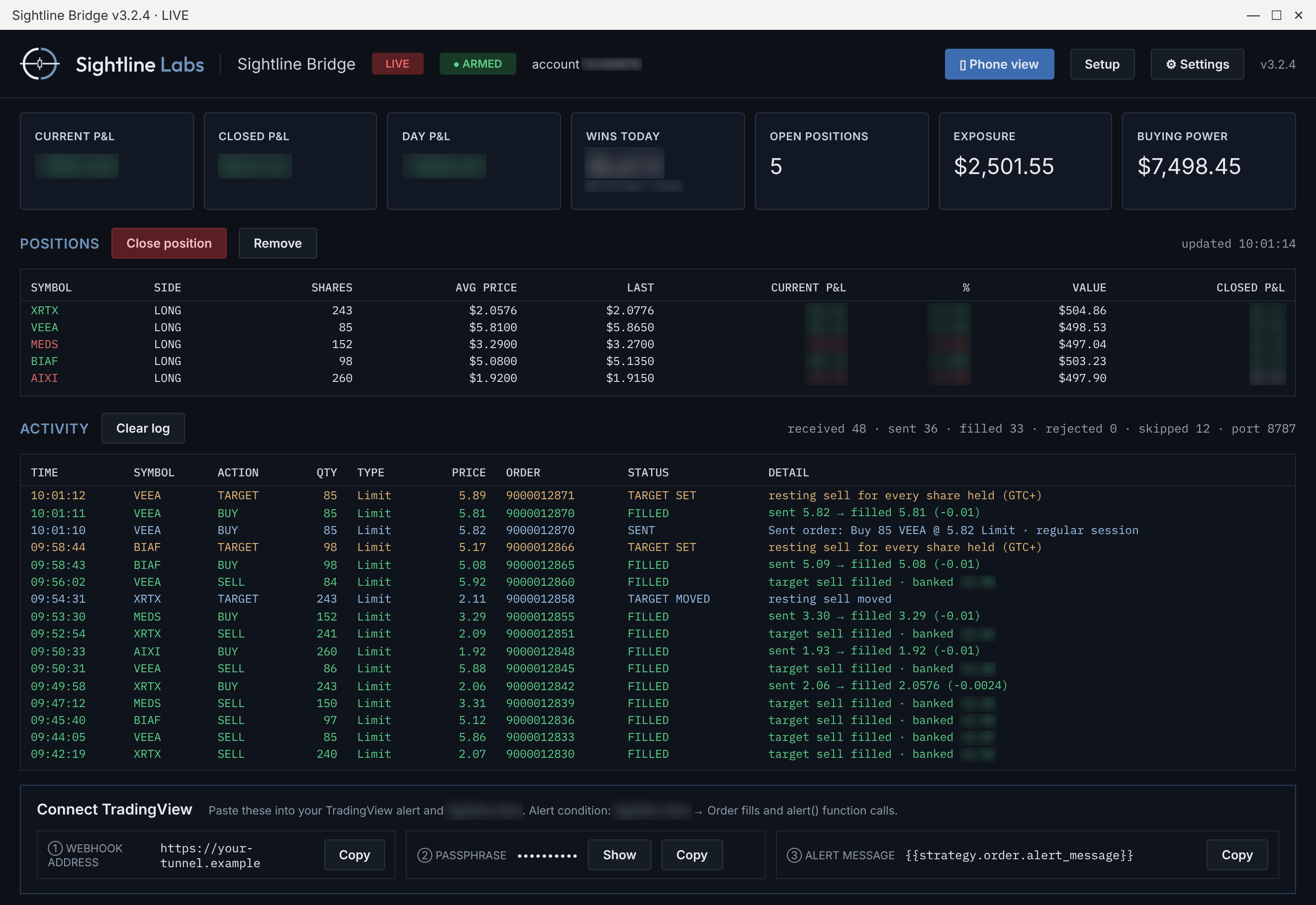
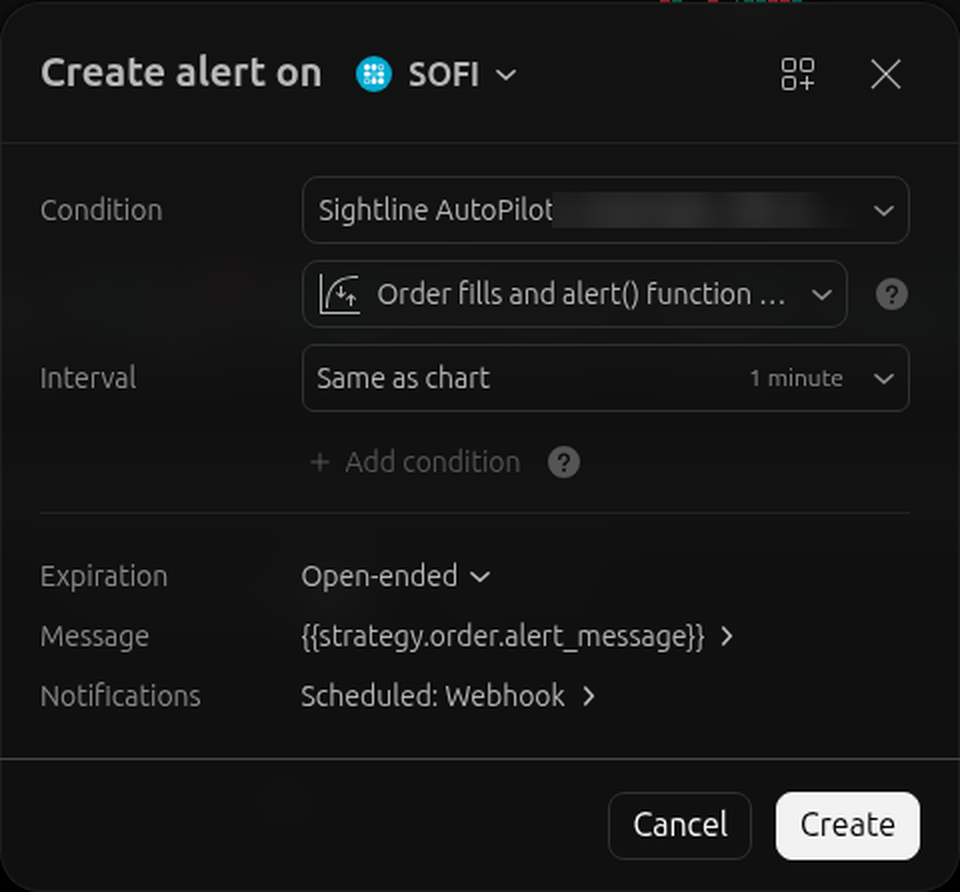
Bridge gives you three things to copy, each with a Copy button in its Connect TradingView box: the web address (TradingView calls it a webhook) and the short message go into your TradingView alert, and the passphrase goes into SightLine AutoPilot's settings. The manual shows every one.
Sells can be placed for you.
A sell can be waiting
After a buy, Bridge can place a sell at your target price in TradeStation, so an exit is already waiting.
Your manual buys count too
If you buy more shares yourself in TradeStation, Bridge updates the sell so it covers every share you hold.
In control from your phone
See live trade stats, turn Bridge on or off, or close a trade by hand from the dashboard on your phone.
The waiting sell only goes through if the price reaches it.
What you need
- An active SightLine subscription
- Bridge needs a TradeStation account with API access, and TradeStation asks for at least $10,000 in the account for that.
- A Windows 10 or 11 computer that stays on while you trade
- A paid TradingView plan, Essential or higher, with two-step sign-in turned on, so your alerts can reach Bridge. Bridge's Setup has a How to turn on 2FA in TradingView button. To use SightLine Calibrate too, you need TradingView Plus or higher.
- A free ngrok account, or your own tunnel such as a Cloudflare Tunnel. ngrok gives your computer a permanent internet address so TradingView's alerts can reach it. You don't install anything from ngrok; Bridge's Setup shows each click.
Our step-by-step manual walks you through the whole setup, start to finish, including the tunnel.
License
$249 once. Bridge works as long as you have an active subscription. One license, for one computer.
Your account stays yours
Bridge runs on your computer and uses your own TradeStation login. SightLine Labs never sees your brokerage account.
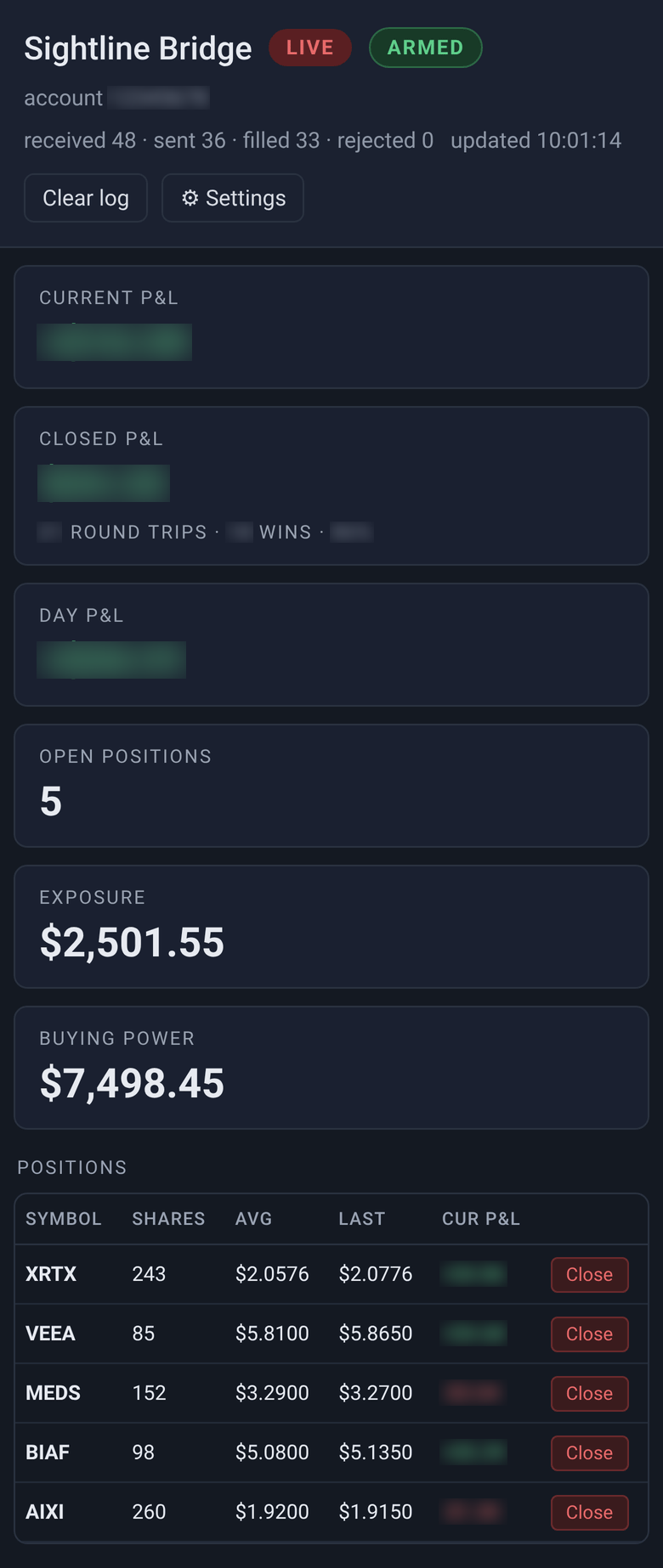
Your Bridge dashboard, on your computer and your phone
The dashboard is part of the Bridge program, not this website. To open it on your phone: In Bridge's main window, click 📱 Phone view. Point your phone's camera at the square code and tap the link that appears. The first time, a warning page from ngrok opens: tap Visit Site. On your phone you can:
- See live trade stats
- Turn Bridge on or off
- Close trades by hand
Don't want to use Bridge? You don't need it. Without it, you place each trade yourself when your bot signals.
Software for everyday traders.
Questions? support@sightlinelabs.org