Your first shot
starts here.
New to trading? Start here
Step-by-step setup, with a picture of every click.
Your first shot
starts here.
Step-by-step setup, with a picture of every click.
The bare minimum to try SightLine AutoPilot is a 7-day free trial on Starter ($500), then $49 a month. You'll also need a free TradingView account.
Beginners can paper trade (pretend money, no broker, no deposit) on a 1-minute chart and adjust settings by hand.
Want SightLine Calibrate, the tool that tunes AutoPilot's settings for you?
SightLine Calibrate needs TradingView Plus or higher. Plus is $29.95 a month paid yearly, or $34.95 monthly. You can keep paper trading while you try it.
Ready to trade for real?
Open an account with any broker. $2,000 to trade by hand, $10,000 to use Bridge. We use TradeStation for its rates and speed, but we have no affiliation with them.
Want trades placed for you automatically later?
SightLine Bridge ($249 once) needs a TradeStation account with API access.
A free TradingView account plus our subscription. No broker, no deposit.
In a margin account, that gives full day-trading buying power. Since June 2026 the $25,000 day-trading rule no longer applies. Ask your broker whether it has switched.
At least this much in the account, because TradeStation only gives API access at that level.
Not financial advice.
See plansCalibrate shows how settings would have done on past days. Past days don't promise anything about today. For your first runs, pick a low risk level and use the row with the lowest Score. Any trade can lose money.
You don't need a big account, or years of experience.
A lot of people have wanted to try trading but didn't know where to start. And most of us can't sit in front of a chart all day. You don't have to: your bot does the watching, follows the same rules every time, and never uses more than the limit you set.
SightLine gives you a bot that watches the chart, a tool that studies your stock's price history and suggests the settings for your bot, and manuals that show every click.
- Start with a limit of $500 per bot, and run as many bots as your TradingView plan allows.
- Step-by-step manuals with a picture of every screen.
- You choose the stock, the settings and when each bot is on.
One stock on $500, or a dozen bots each with a $500 limit. Starter ($500) starts with a 7-day free trial, and lets you trade the way you want.
Your bot watches the chart, all day long.
SightLine AutoPilot runs on TradingView, follows your stock all day, and signals every buy and sell. You, or SightLine Bridge, act on those signals.
Illustration only. Not real trades.
As easy as A-B-C.
SightLine AutoPilot
Subscribe, and type your TradingView username when checkout asks for it. We give you access to SightLine AutoPilot at your plan's limit. Each copy you run on a chart is one bot, and every plan lets you run as many as your TradingView plan allows.
Bridge Optional
Bridge sends your bots' alerts to your TradeStation account so the trades are placed for you. One-time purchase for one computer. Without it, you place each trade yourself.
Calibrate
Included with every plan. AutoPilot has a lot of settings, and finding the right ones by hand takes a lot of tweaking. SightLine Calibrate looks at your stock's past prices and suggests settings for your bot in minutes. No guessing, no endless tweaking. Click Copy settings code, paste it into SightLine AutoPilot's settings, and you're set.
Set up A and B once. Run C each time you start a bot on a new stock. See every step
The real tools, real screens.
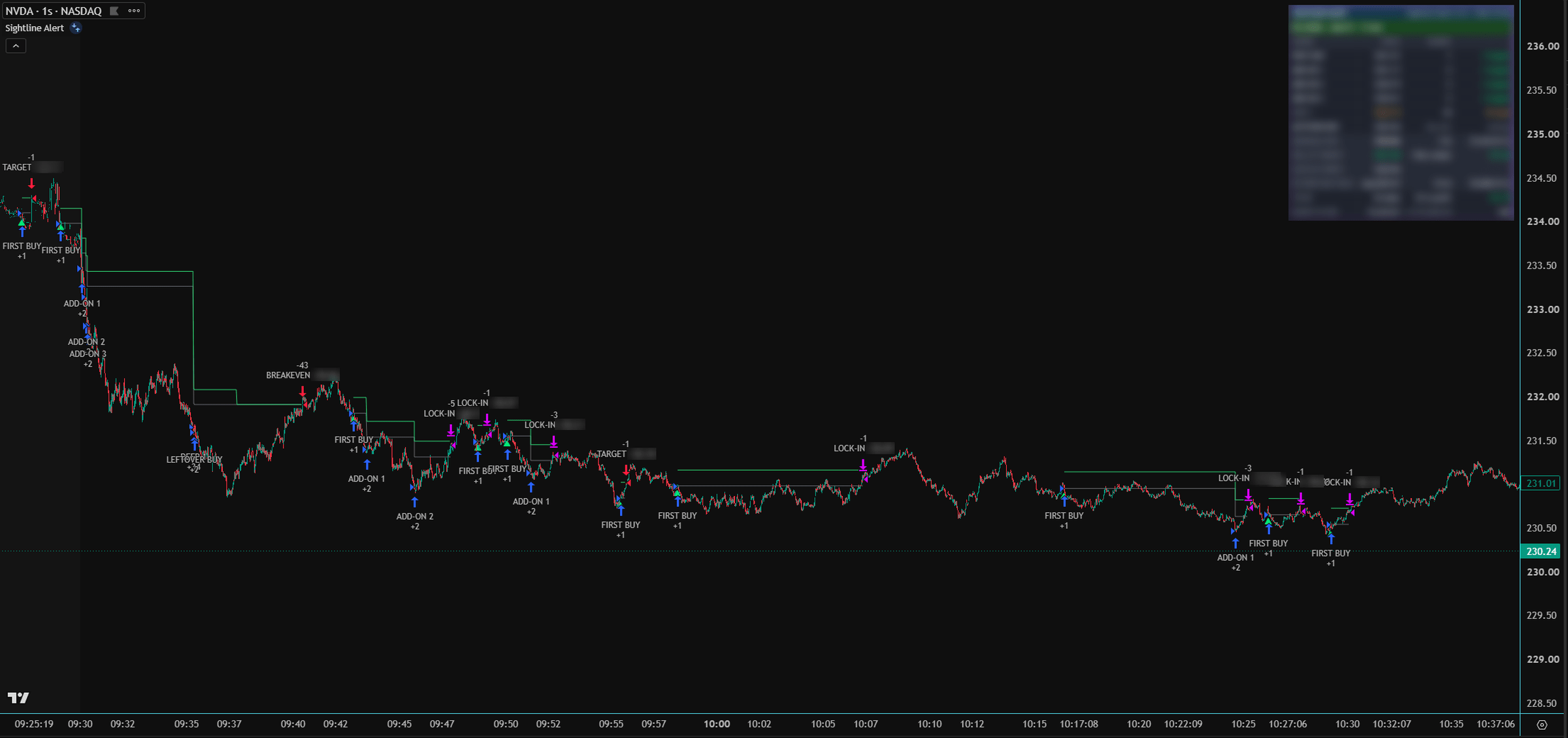
A · SightLine AutoPilot watching a stock in TradingView.
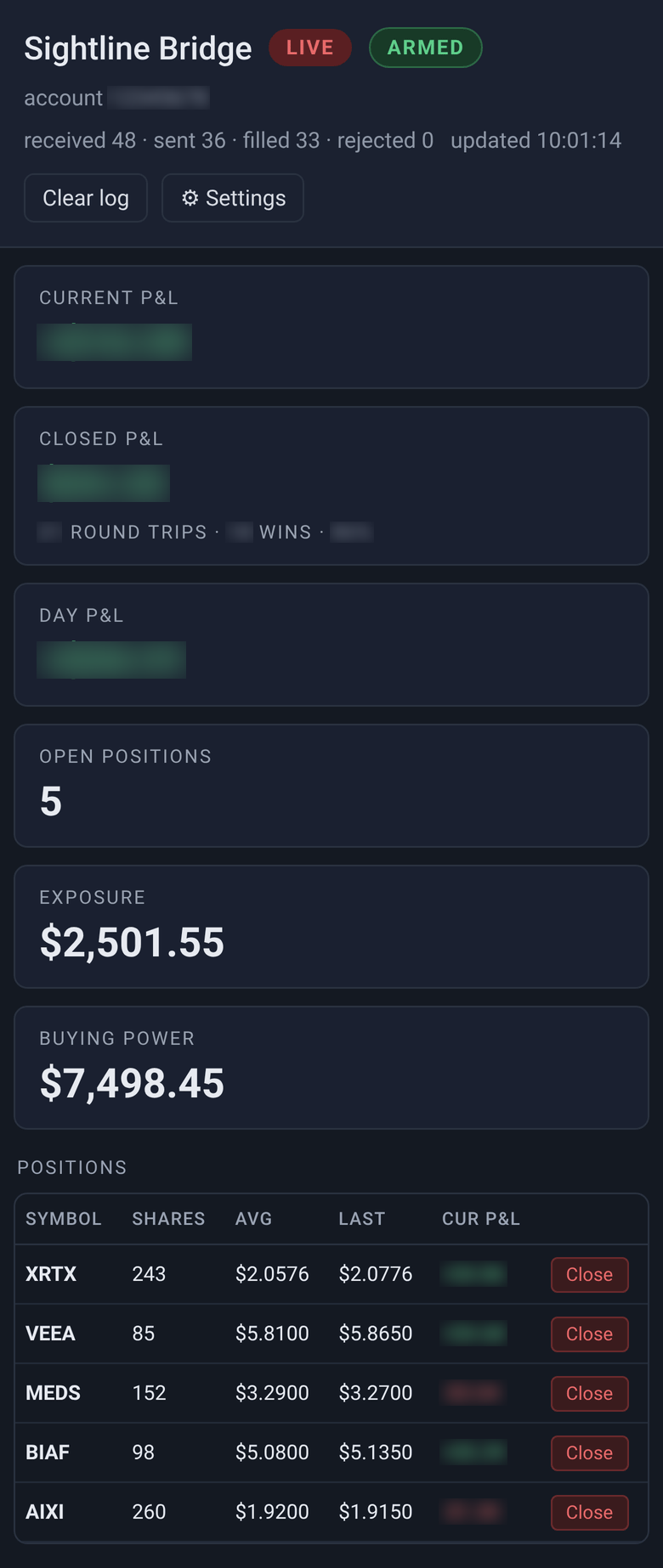
B · Bridge on your phone, from its QR code.
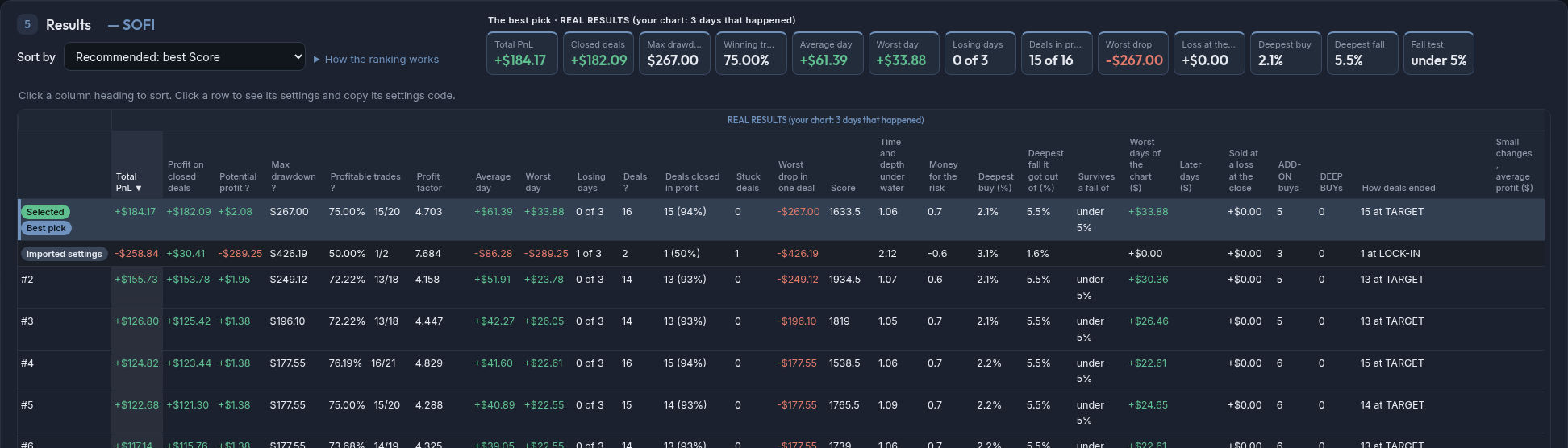
C · Calibrate suggesting settings from past prices.
You're in control.
Your money stays yours
It stays in your own brokerage account. SightLine Labs never holds it and can't move it.
You set the limit
Your plan sets the most money each bot can use. Run one bot or several. Each one stays within its limit.
Look before you trade
Calibrate shows how its suggested settings would have done on past prices before you risk a dollar. Simulated results don't predict future results.
Your trades never touch our servers.
Everything that trades runs on your own computer and in your own accounts. We never see, handle or pass along your trade information.
- Your bot runs in your own TradingView account.
- Bridge runs on your own Windows computer. Alerts reach it through a tunnel you set up (ngrok, or your own such as a Cloudflare Tunnel).
- Your TradeStation account is yours. Your computer sends each order straight to it.
- SightLine Calibrate runs in your browser on your own computer. Your chart files are never uploaded.
Line up your first shot.
Plans start at $49 a month. Every plan includes SightLine AutoPilot and SightLine Calibrate.
Software for everyday traders.
Questions? support@sightlinelabs.org